Refunds are done from Orders on the POS, against the completed transaction. Issuing one needs the Refund Orders permission, so it may not be available to every staff member.
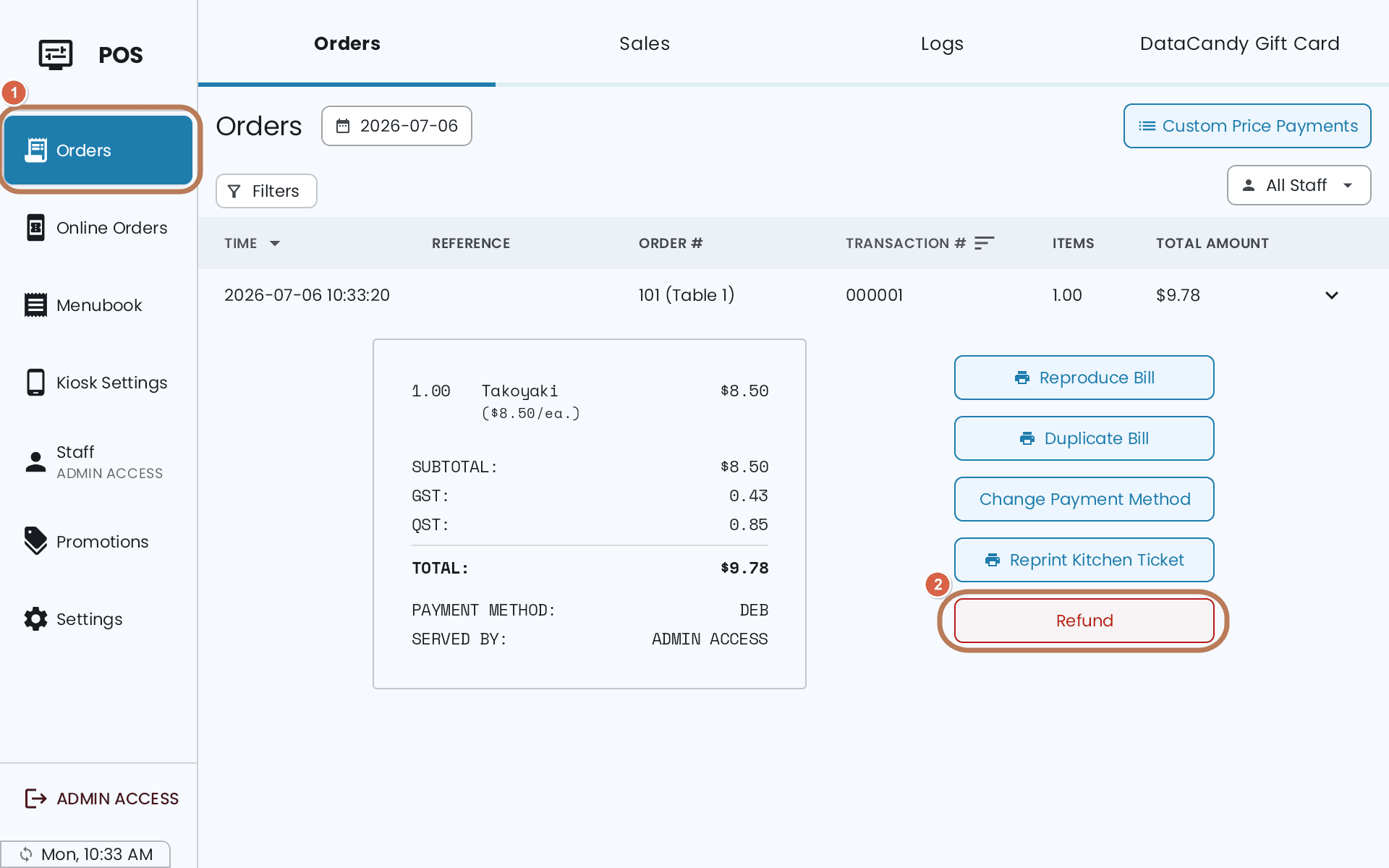
Could you change the payment method instead?
If the amount was right and only the payment method was recorded wrong, don't refund. Open Orders, find the transaction, and use Change Payment Method. Much cleaner than a refund and a re-sale.
Choose how much
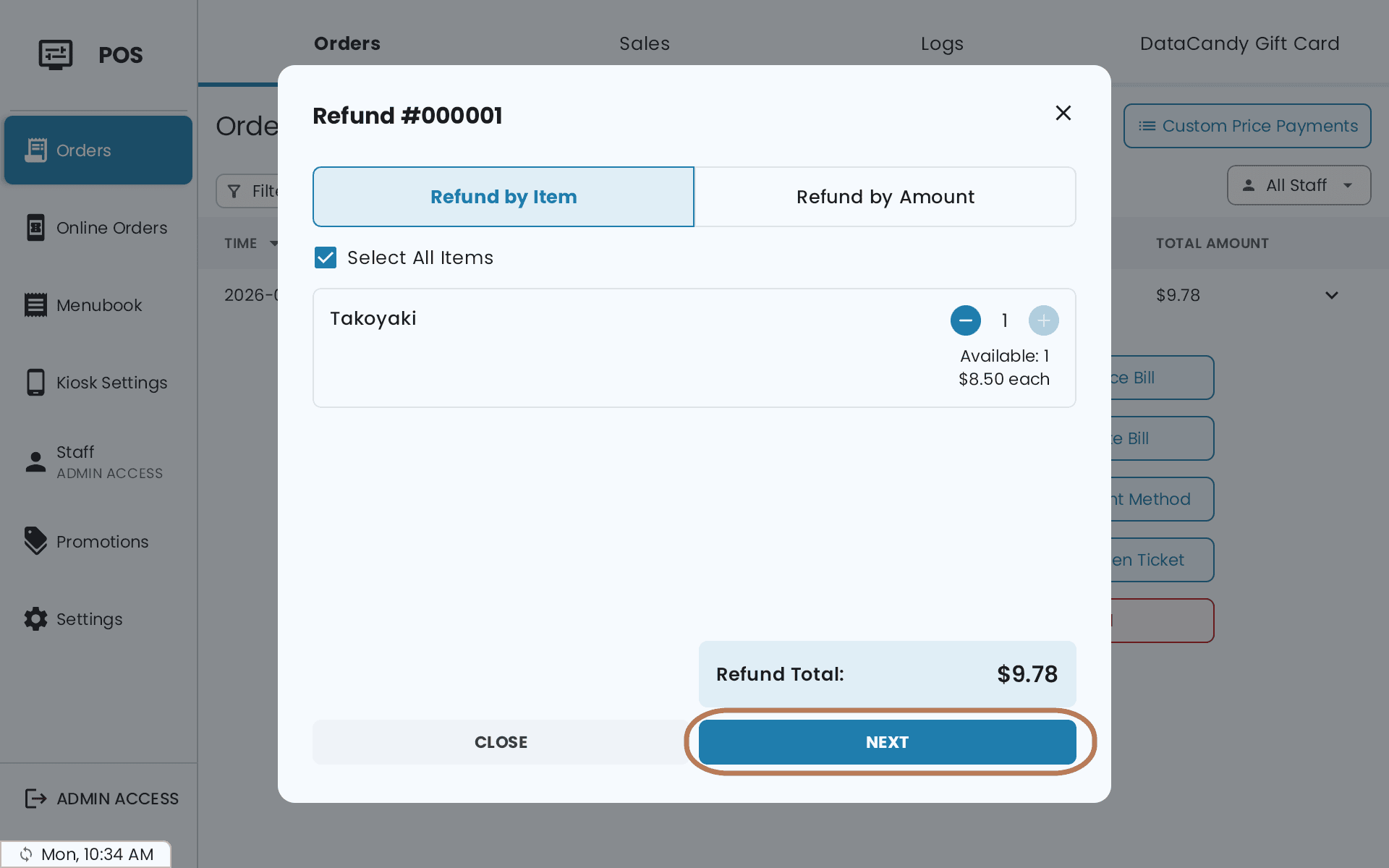
- Refund by Item — use + and − per item, or Select All Items
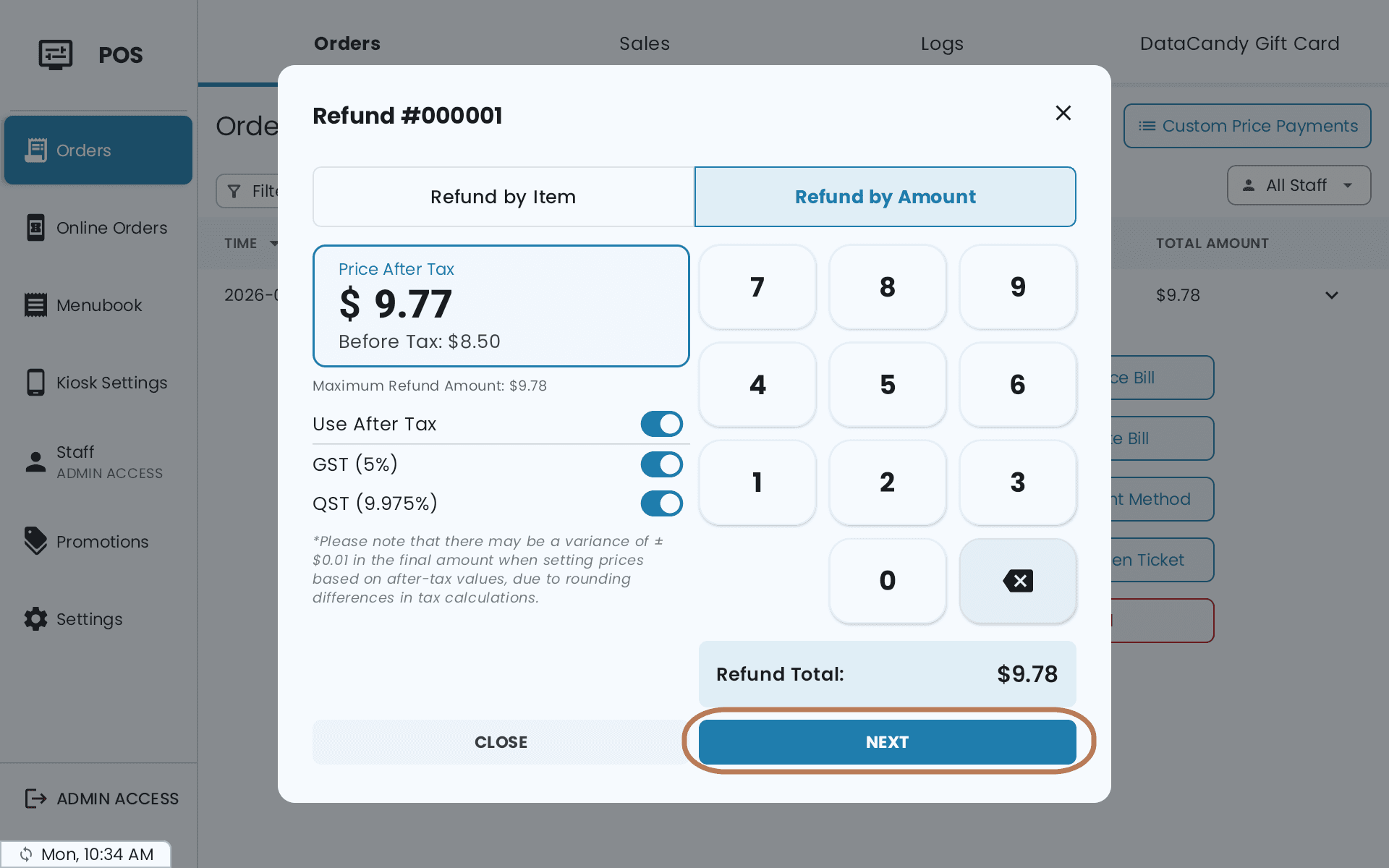
- Refund by Amount — enter a value, up to the Maximum Refund Amount shown
- Refund Tip or Refund Total where a tip was taken
Amounts can be entered Before Tax or After Tax. Entering after-tax values can leave a variance of about a cent from rounding — the POS warns you.
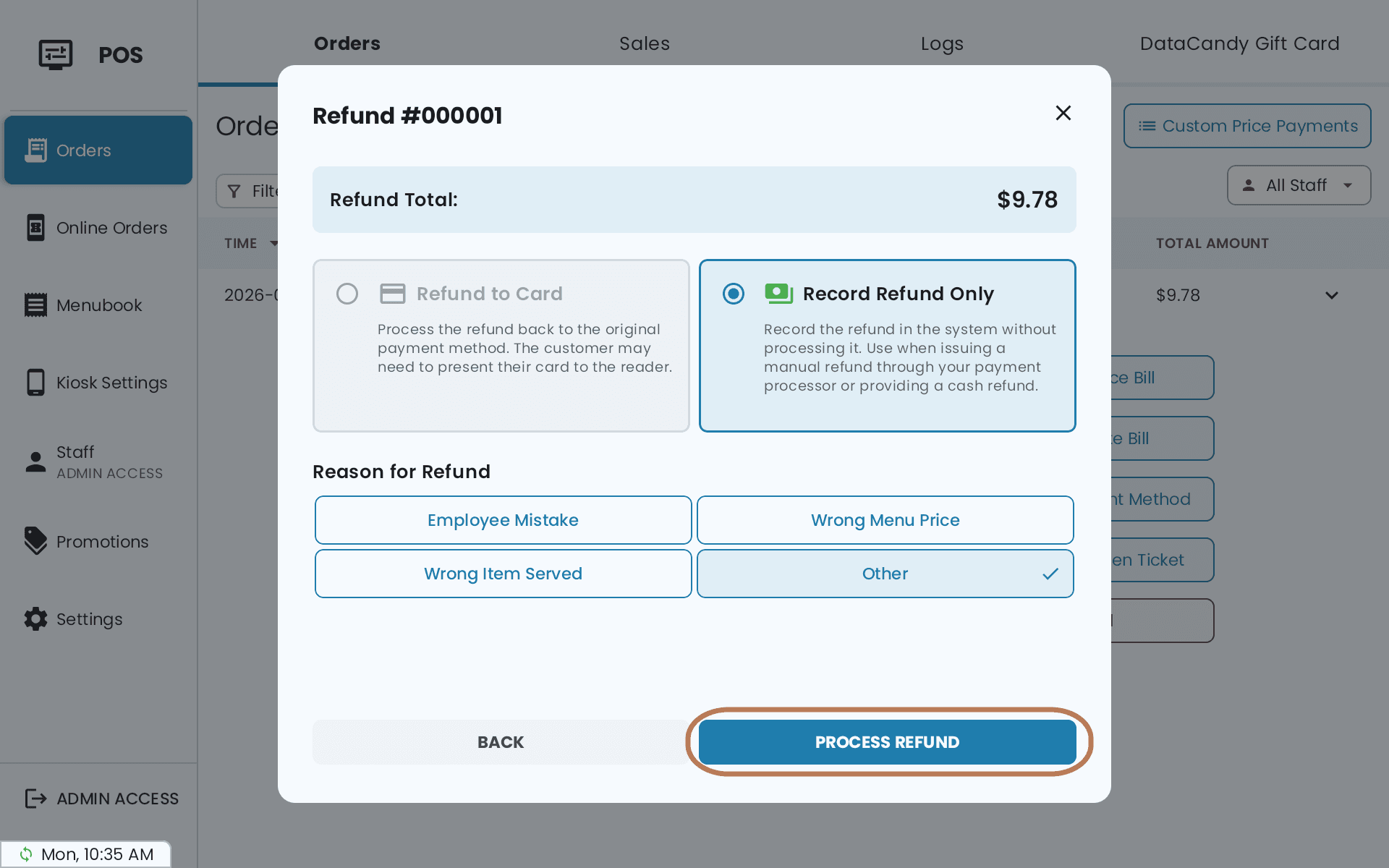
Choose how the money goes back
| Method | What happens |
|---|---|
| Cash Refund | You hand the cash over; the refund is recorded |
| Refund to Card | Sent back to the original card. The customer may need to present it |
| Refund to Gift Card | Back onto the original gift card |
| Record Refund Only | Records it without processing — for a refund you are issuing manually |
Then give a Reason for Refund and tap Process Refund.
Card refunds on the reader
Keep the card nearby until the refund is confirmed. If you see Reader reconnecting, do not start another refund — starting a second one while the first is unresolved is how customers get refunded twice. If the status ends up unknown, use Check status again.
After a refund
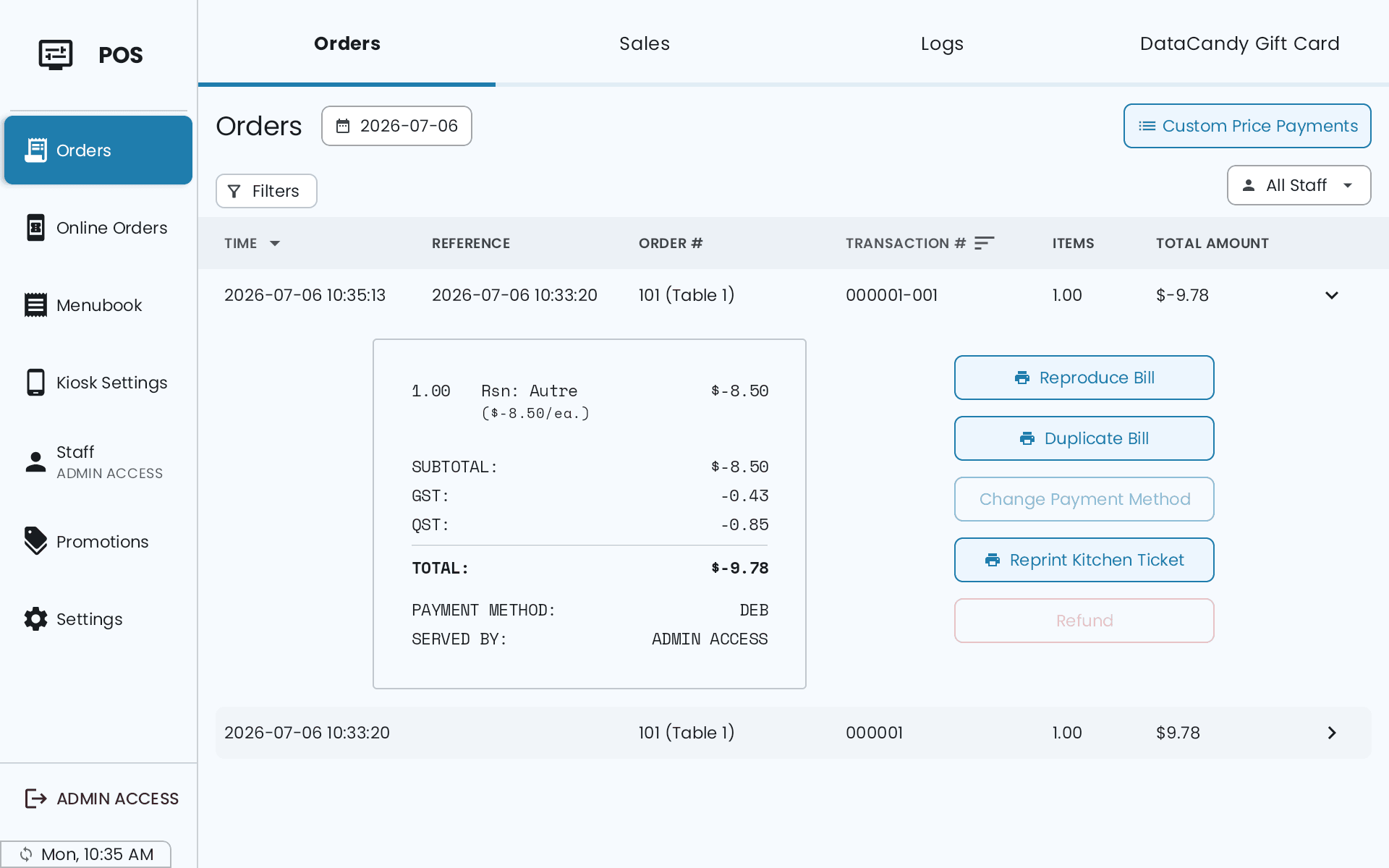
The original order locks, so the same sale can't be refunded twice. The refund appears in the order list as a negative entry, and on it Change Payment Method and Refund are greyed out.