Your online store doesn't have to use your in-house prices. Many restaurants add a margin online to cover packaging or commission.
It works in two pieces: a price variant — a named tier like "Online" or "Delivery Markup", which is only a label — and the alternative prices you enter per product against that variant. Apply the variant to online ordering and the storefront uses those prices, falling back to the standard price for anything you didn't fill in.
Create a price variant
Open any product in Menu Library → Products, expand Price → Advanced Settings → Other Prices, and open the Price Variants drawer. Choose Add Price Variant, name it, and Save.
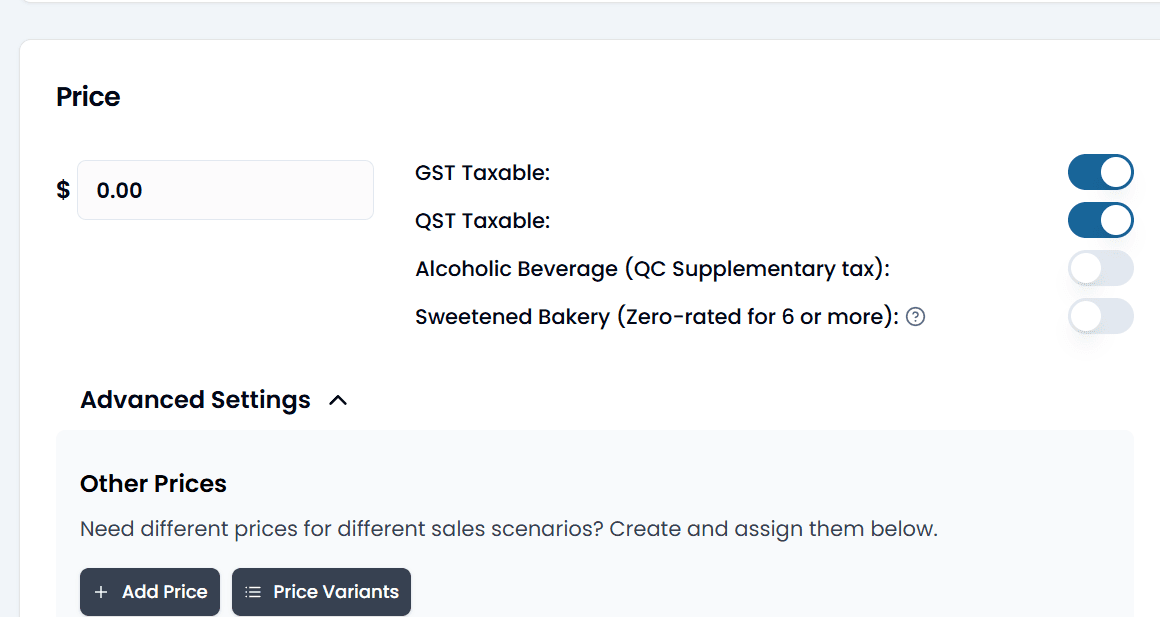
Name it after the channel it's for — "Online Order", "Uber Eats", "Catering". "Variant 2" will mean nothing in six months.
Enter the alternative price on each product
For every product whose online price differs: open it, expand Other Prices, tap Add Price, pick your variant, enter the price, and save.
Options carry their own alternative prices. Set "add bacon" once on the option itself, not on every product that uses it.
If you have a lot to change, the pricing dashboard is the faster tool — it shows every product and option in one sheet.
Apply it to Online Order
In Online Order → General Settings, find Use Alternative Price for Online Order, pick your variant, and tap the button beside it, which reads Apply followed by the variant's name (for example Apply Online). To go back later, choose Regular Price and apply again.
Switching the variant reaches your online store within a minute or so. Back Office's message says it can take up to 3 hours; that's only the worst case, if the update notice is missed. Prices you change inside the variant follow the usual menu timing — see Publishing your menu.
Only one variant is live at a time
You can keep as many variants as you like — Online Order, Uber Eats, Catering — but Online Order uses exactly one — whichever you pick and apply.
Deleting a variant deletes its prices
Removing a variant removes every alternative price entered against it, on every product. To switch a scheme off temporarily, set the dropdown back to Regular Price — don't delete the variant. Renaming one is safe; the name is only a label.
Third-party delivery platforms
Foodteria doesn't connect directly to Uber Eats, DoorDash or SkipTheDishes, so you enter those orders into the POS by hand. To keep the numbers straight, give each platform its own price list and its own table. The platform's prices then apply automatically, and your reports separate them out.
Apple Pay and Google Pay
Both can be offered at your online checkout, and both are off until you turn them on in Back Office. There's a one-time verification behind the scenes, so allow a short wait before they appear to customers.