Your items live in the Menu Library. The two Menus decide what appears where — see How your menu is structured.
There's no Publish button. Saving a menu change makes it live.
The POS menu
Exactly one, and you can't create a second. It's a list of categories in display order — drag to reorder, click one to preview the products inside. That order is what your cashier sees, so put your fastest-moving categories first.
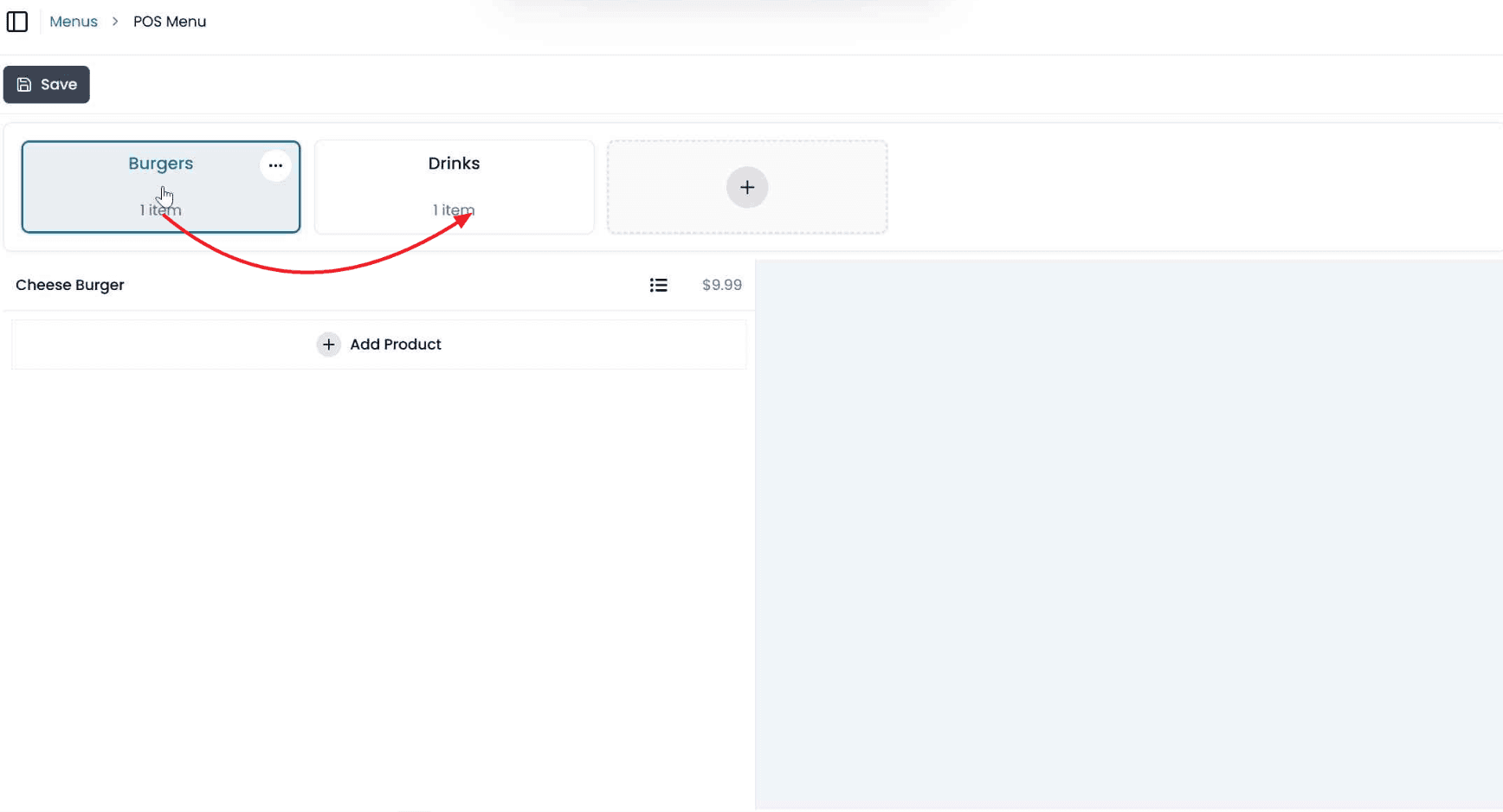
The Kiosk & Online menu
This one has pages — the tabs a customer moves between.
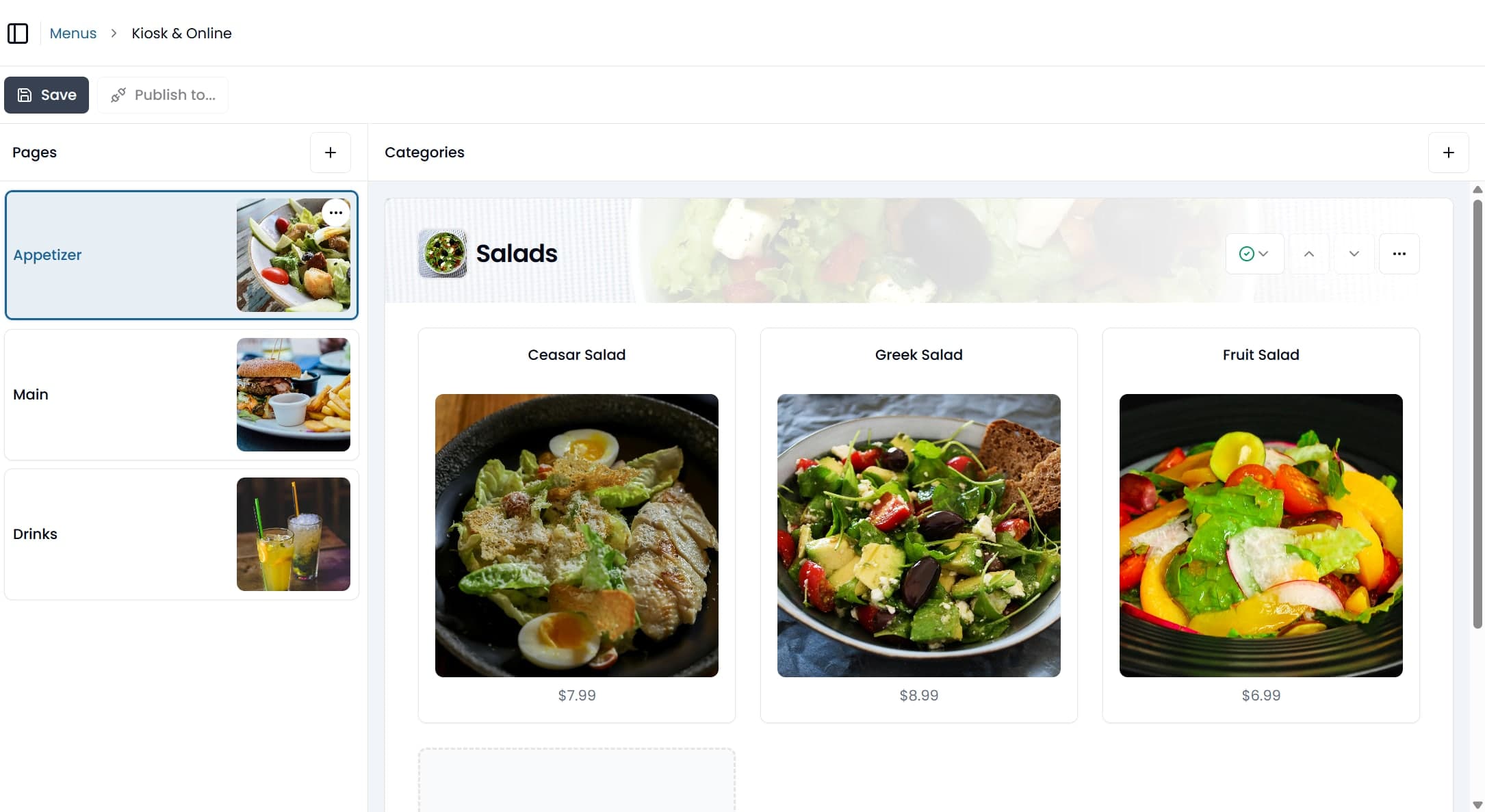
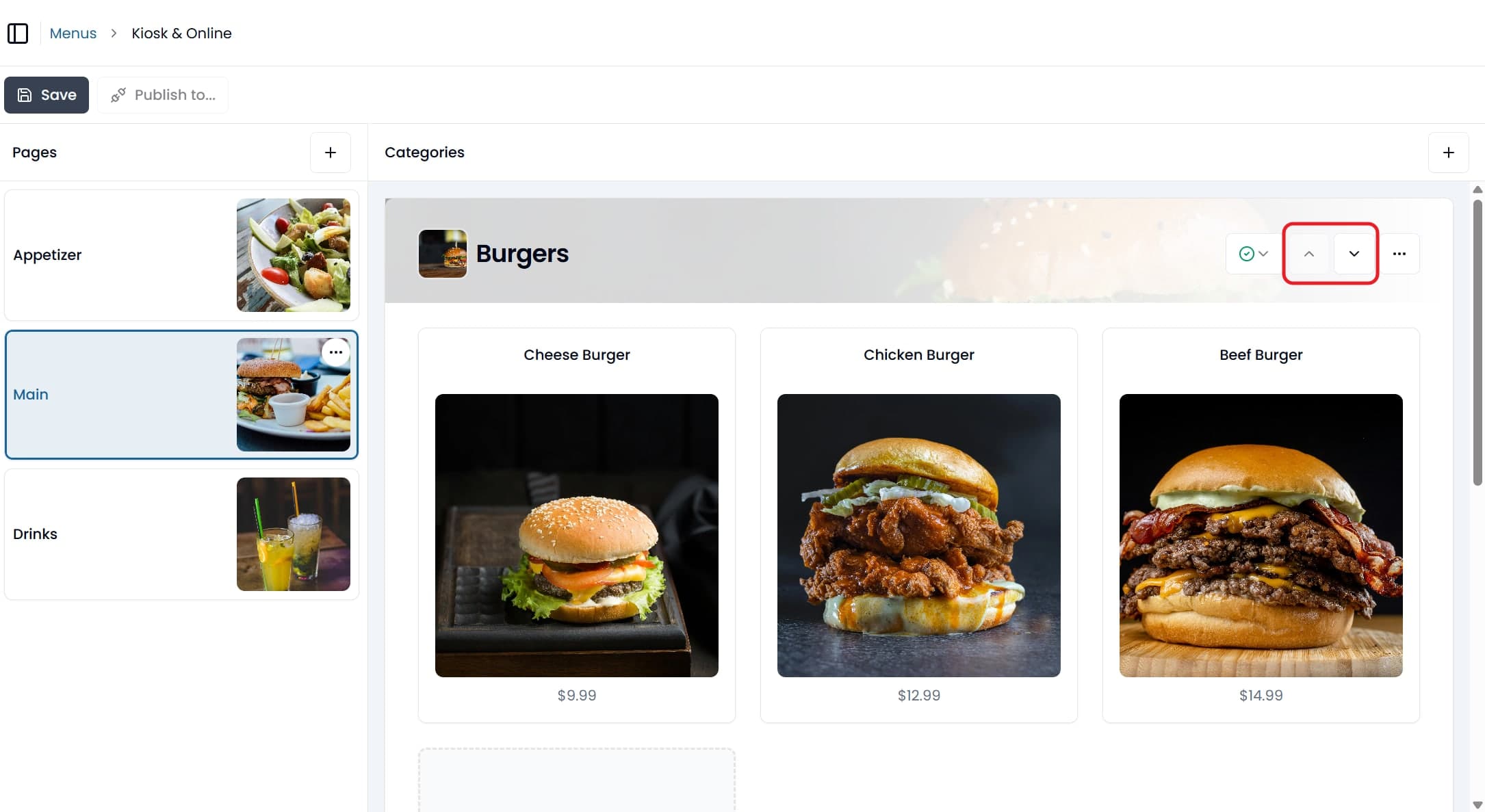
Drag page cards to reorder them. Click a page to see its categories: move one up or down with the arrows on its header, and drag the products inside it to reorder those.
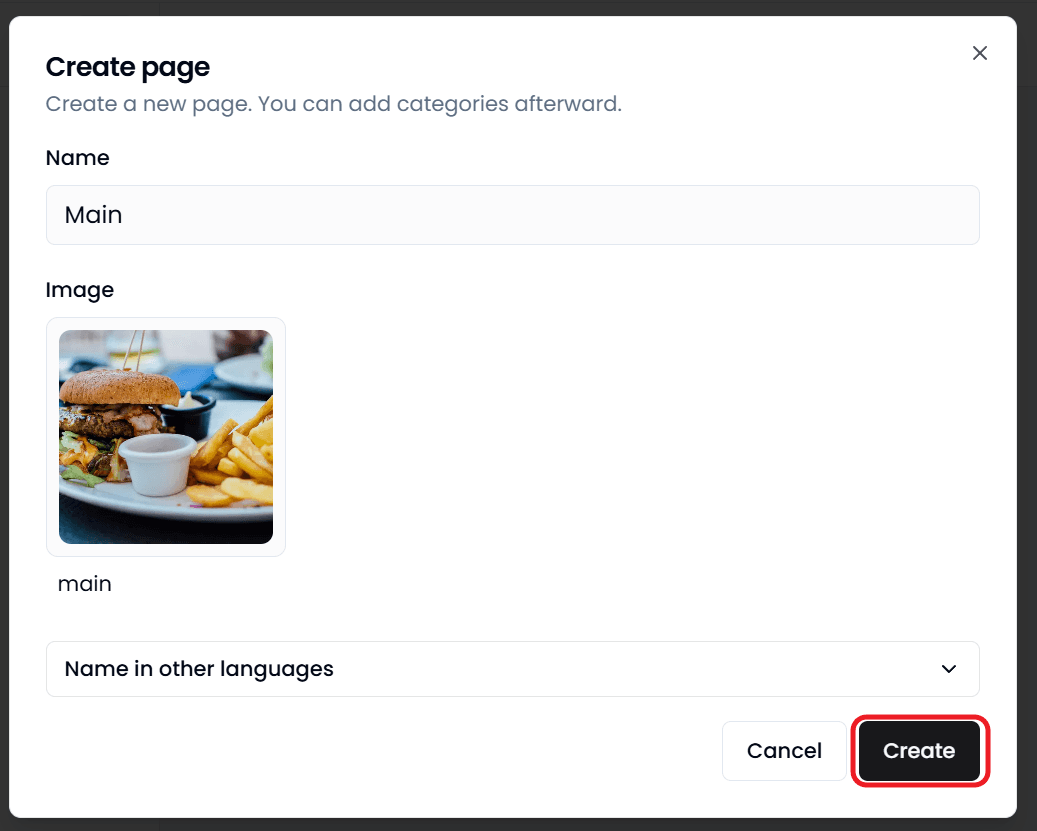
A page needs a name of at least two characters, which is the tab label customers see. You can give it a banner image and up to two alternative names.
Deleting a page can't be undone.
Each product on this menu can also be hidden from some of your customer channels and kept on the others. See Hiding a product from a sales channel.
How long changes take to appear
| Surface | When it updates |
|---|---|
| POS | Seconds. It listens for changes while it's running |
| Kiosk | Next sync, usually seconds. Close and reopen the app to force it |
| Online ordering | Depends on where you made the change — see below |
Where you edit decides how fast your online store updates.
Work done in Back Office reaches it straight away — editing an item, adding or deleting one, reordering pages, changing a picture, running a promotion.
Two things still wait for the next refresh, up to 30 minutes: a bulk save on the Prices or Translations screens, and a menu edit made on the POS in Menubook.
The POS gets all of them in seconds either way.
So if you've just repriced your whole menu on the Prices screen and the online store still shows the old prices, nothing is broken. Give it half an hour, or reopen and save one product to push it through.
Some messages in Back Office mention three hours. That's a worst case, not what you should expect.
Publishing to a delivery platform
If you're integrated with a delivery platform, pushing your menu there is a separate step — changes to your Foodteria menu don't reach it on their own, and republishing replaces rather than merges.
You don't need this at all if your items are POS, kiosk and online-ordering only.
Common patterns
One menu, all day — a single page on the Kiosk & Online menu with every category on it.
Lunch and dinner — a page per service. Categories can appear on more than one.
A new item mid-week — add the product and assign it to a category. The POS has it in seconds, and your online store about as quickly.
Retiring a seasonal item — mark it unavailable rather than deleting it. Deleting strips it out of every category it was on, so next season means building it again.