Sweetened baked goods — muffins, doughnuts, tarts, cookies and similar — are zero-rated when six or more single servings are sold together, not individually packaged, and not for eating on the premises. Below six, they are taxable.
Turning it on
In Back Office: open Menu Library → Products, select the item, scroll to the Price section, and turn on Sweetened Bakery (Zero-rated for 6 or more). Save.
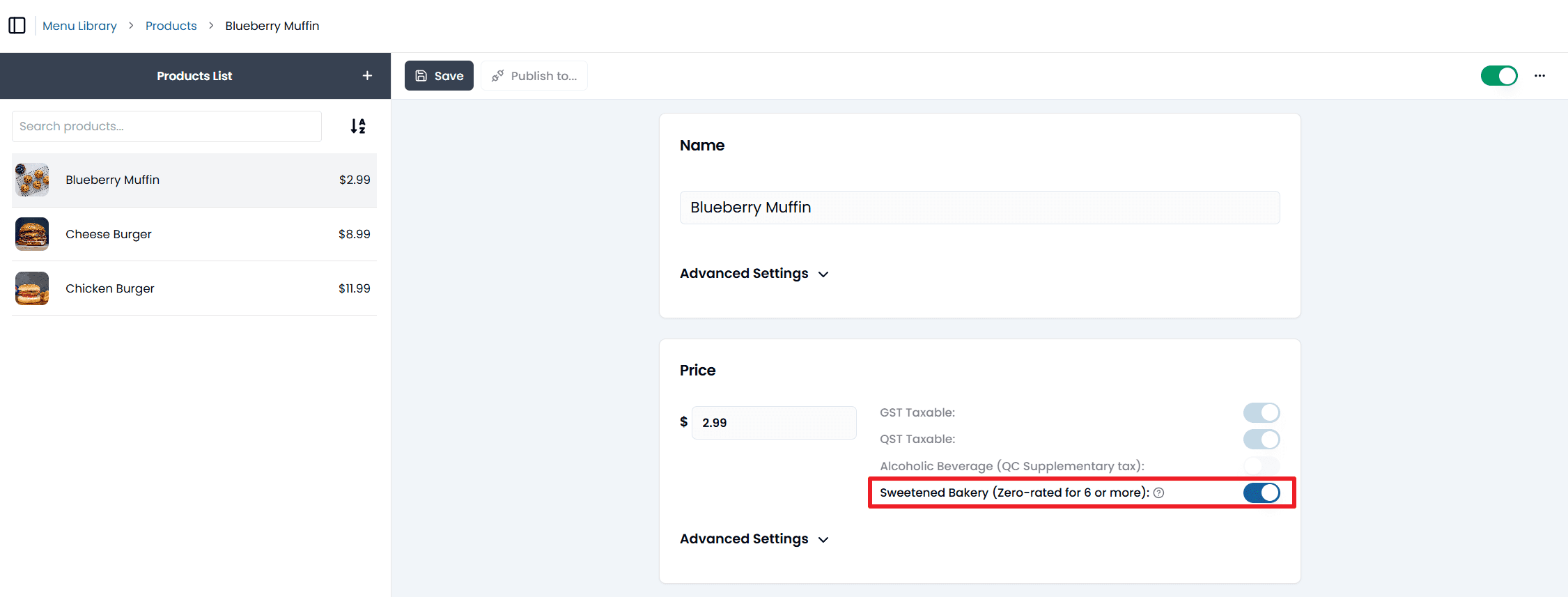
On the POS: Menubook → Products, select the item, and turn on the same switch in its Price section. Save.
Do this for every bakery item that qualifies.
How it applies at the till
Two things surprise people:
- The six can be mixed. The POS adds up every eligible bakery item in the order together. One tart, two muffins, one cookie and two doughnuts is six, and the exemption applies — they do not have to be six of the same product.
- It only applies to counter sales. The exemption applies in Counter mode, and on a table whose Mode is Counter, because the rule is for food taken away. It does not apply on a dine-in table, and not on a Take Out Phone Order table either, even though that order is takeout. If a six-item bakery order goes through a dine-in table, tax stays on, and that is correct. See Tables and your floor plan.
When it applies, both GST and QST come off those items automatically, and the cart shows a Sweetened Bakery Tax Exemption Applied line.
Where the rule comes from
Canada Revenue Agency, Basic Groceries — Sweetened goods and similar products, and Revenu Québec, Sweetened Baked Goods and Similar Products. This page explains how to configure Foodteria; it is not tax advice. If you are unsure whether an item qualifies, ask your accountant.